Whit Wood Contracting
A contractor site powered by Decap
May 2026
A friend of mine runs a general contracting business out of Durham, NC — kitchens, decks, bathrooms, the whole range. He needed a site that looked professional but, more importantly, one he could actually update himself without needing to call me every time he got a new testimonial or wanted to tweak his services copy.
That constraint drove every decision I made. He was paying close to $200 a year for a Squarespace website that he didn’t like. How could I make that number 0?
Bones
While I mostly like to build apps, I’ve done a few more informational websites in the recent past. I did one for my wedding and one for my brother-in-law.
For my wedding website, a CMS was not an issue, since I can just recode anything on my wedding website whenever I wanted. For my brother-in-law’s site, I wanted him to be able to update his own website. To do that, I set up a few APIs that access his Google Calendar and a Blogger blog. From there he can rewrite copy and update events.
Since this site was going to have the same constraint. I duplicated his portfolio repo and passed it to Claude.
The Design
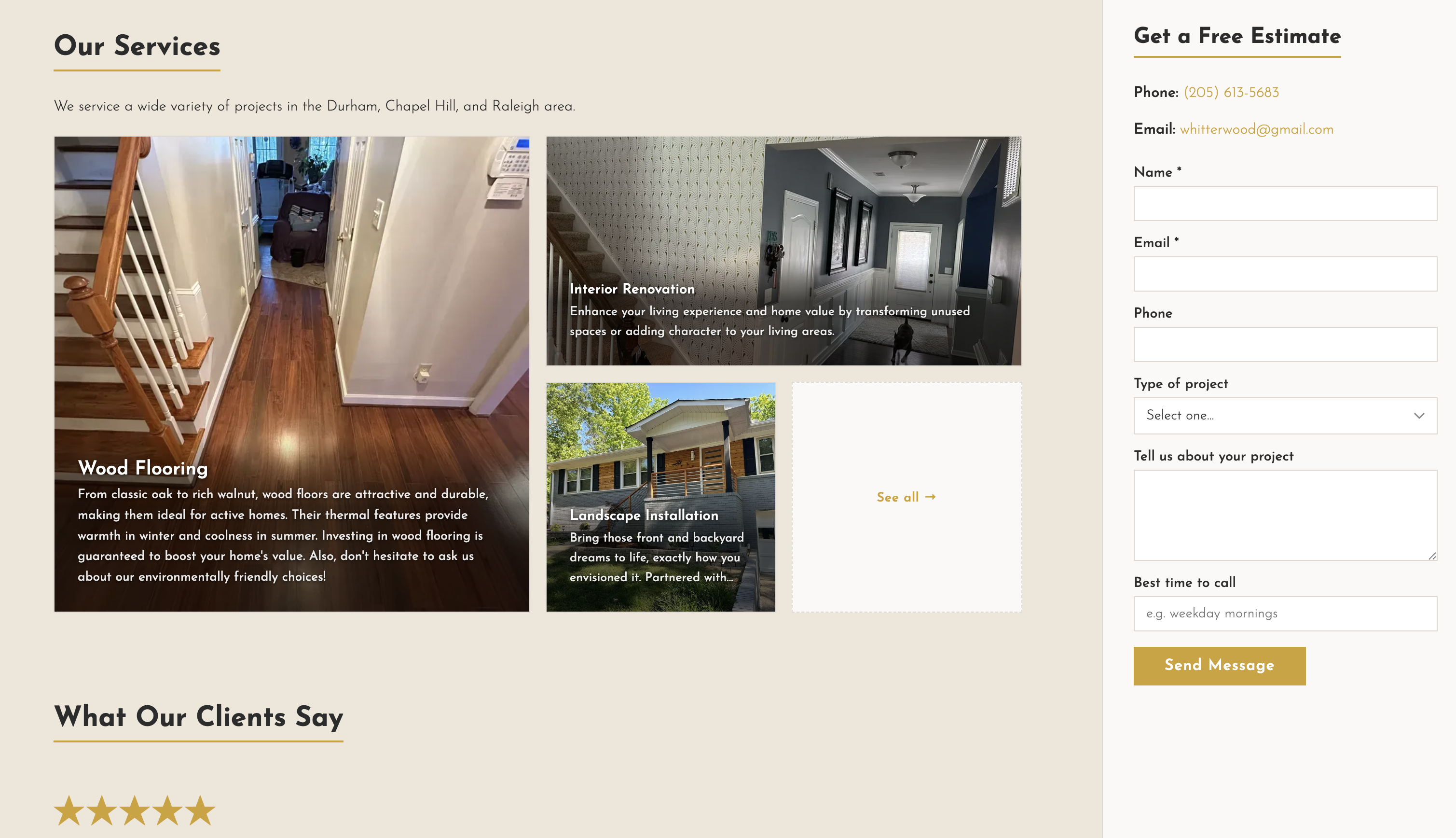
The site itself is a straightforward static site. No heavy framework, no unnecessary moving parts. For a contractor landing page, performance and clarity matter more than interactivity—someone on a phone in a driveway should be able to find a phone number fast. The other most important things is prioritizing client contacts. Making the form ever present in the sidebar should help increase submissions.
Choosing a CMS
Google Calendar and Blogger
The original decision to use Google Calendar and Blogger was because it was easy. I didn’t anticipate my brother-in-law updating his website all that much. The only thing getting regular updates would probably be the events section.
Blogger was a good choice for a biography in the about section and a blurb in the contact me section.
And of course for events, Google Calendar was an easy tool with no learning curve that provided structure (start time, title, description). For the part of the website that would have frequent updates, google Calendar was a tool he would be most likely to use than.
However, in the case of this contracting website, I thought data would need a different predefined structures, especially ones that are less time and date oriented.
Notion
I started with Notion. I liked that databases could have configurable types and pages have rich text and images support. It worked well at first.
I briefly moved to Vercel for improved caching, but ran into a few problems.
- I wanted to be able to see content right when it updated, so I’d want the cache to be cleared more frequently
- Notion dynamically changes image URLs, meaning that some time after an initial load, cached image URLs would point to empty content
I noticed this image problem when loading that page and seeing empty content. I tried to fix this by having the site pull plain text via ISR and images through API’s. The ISR could be cached but the API could force a reload.
In a stroke of bad luck, Notion had an outage while I was working on it. So I rushed to create a system where I could export Notion data periodically and store it in the git repo.
It all started to feel hacky and delicate. I realized I wanted a different solution.
Decap
Decap is an open source project that works great with Netlify. Decap allows users to sign in and edit content in way developers define in a yaml file. It uses the same git repo as the website for a CMS, so no additional service or API to configure. My friend can access and edit content on the /admin page of his website.
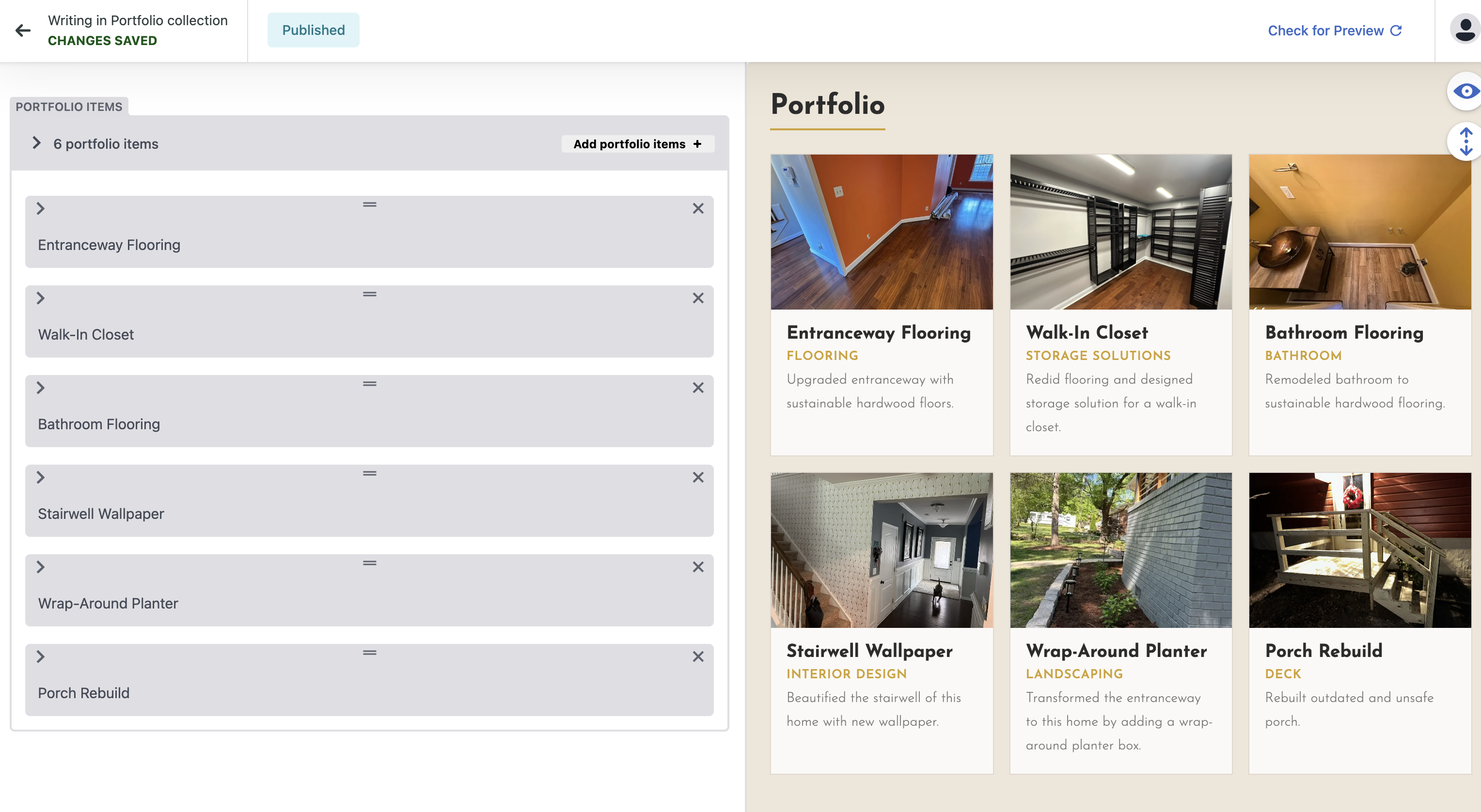
I migrated hosting back to Netlify and the content to Decap and set it up on my site. The problem I found was, every change to site content would trigger a redeploy. While I don’t expect there to be a lot of changes, if my friend spends an hour tweaking text and images, that could amount to a lot of build minutes used.
So, I configured the netlify.toml so that content changes don’t trigger a redeploy on Netlify, which should keep me to me free tier monthly limits. Now because the site is never re-deployed, the latest content won’t be present in the /content folder. To get around this, all I had to do was make the Github repo public then change the url from the local served content to a raw.githubusercontent.com url.
I wrote more about how to implement this in this blog post